Birchfeed

RSS made by someone
obsessed with RSS.

Rock solid sync, works in the best RSS clients out there, and a few other clever things.

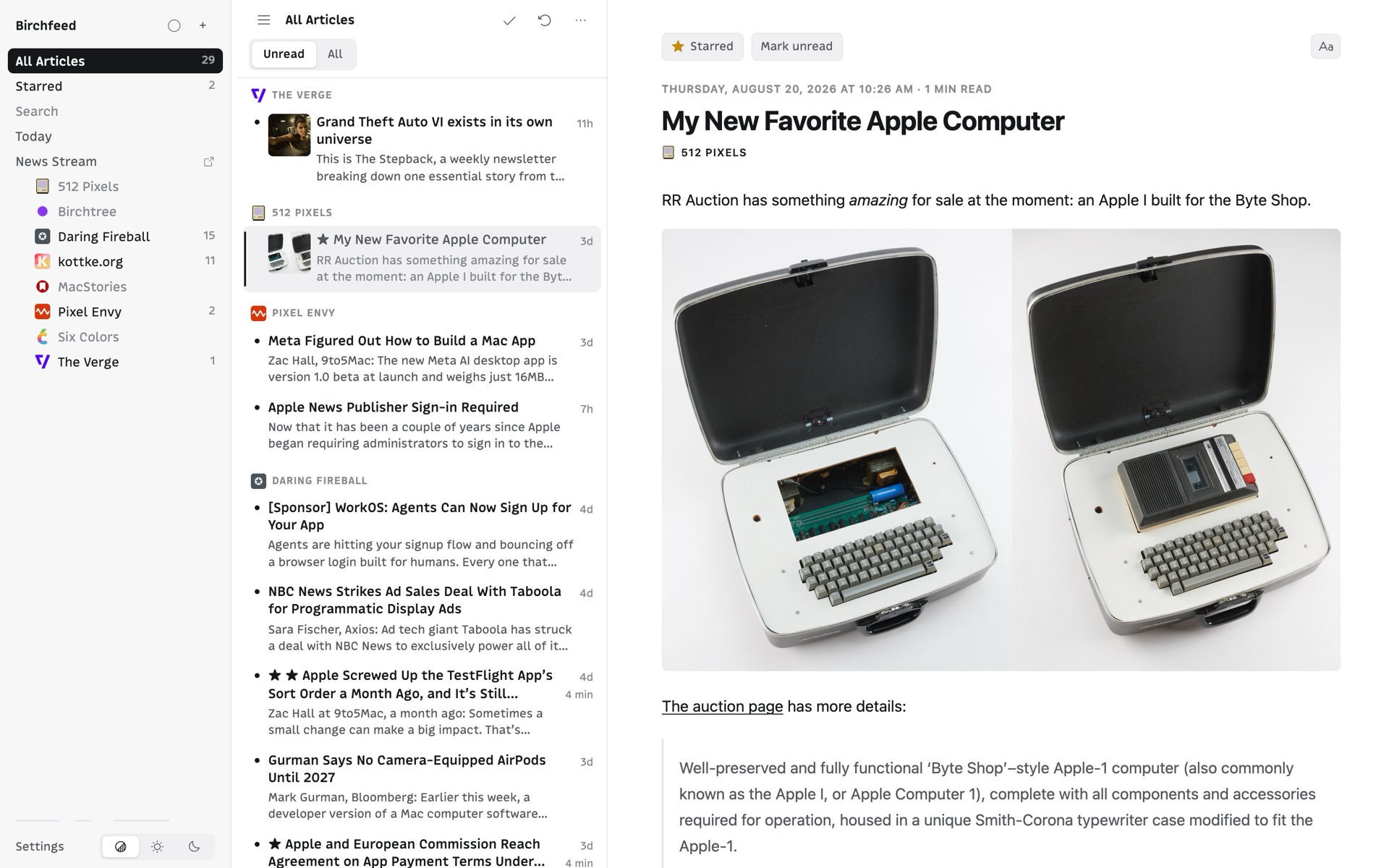
The Birchfeed web reader: a three-pane view with feeds on the left, an article list in the middle, and the open article on the right

If you like your RSS app, you can keep your RSS app.*

Thanks to open industry standards (remember those?), Birchfeed probably works in the RSS app you already use. If your app shows a Google Reader, FreshRSS, or Fever option, you're in! These are the ones it's tested with, and what to pick in each.

Reeder Classic

Choose Reader or FreshRSS, depending on the version you have. This is the reader Birchfeed is tested against most.

NetNewsWire

Choose FreshRSS when adding an account.

Current

Choose FreshRSS or Google Reader.

Unread

Choose Fever.

Web Reader

Built in, nothing to set up. A full three-pane reader in any browser.

Something Else?

Any app with a Google Reader, FreshRSS, or Fever option should work. Pick whichever one it offers.

*Okay, yeah, some apps don't support those, but the good ones do!

Big news day? Open a window and watch it roll in.

Open it up in a new window and watch the news of the day stream by in real time. Perfect for those big news days or the generally news-obsessed.

The News Stream: a single live column of arriving articles with a freshness indicator at the top

One email a day with what you missed.

Schedule a daily email that summarizes what happened while you were away. Schedule it for 6AM and wake up to what happened overnight, or make it 5PM and see what happened while you were working. It's always 100% personalized to you.

The Today page: the day's date, a written briefing, and the last 24 hours of arrivals grouped by feed

Simple rules that act on new articles the moment they arrive.

Get a push or an email when something you care about pops up, star it for later, or mark the noise as read so you never even see it. Rules can watch one feed, a folder, or everything you follow.

Three automation rules written as plain sentences, each with a toggle and a matched-this-week count

All the small things.

OPML Import and Export

Got feeds already? Bring them over! Ever want to leave? Take them with you.

Passkey-Only

Passkeys are more secure and impossible to forget. There's also 0% chance of me leaking a password if it never exists at all.

Keys You Control

Each reader app gets its own key, revocable on its own, with a last-used date so you can see what is still connected.

Starred Means Kept

Old articles age out on a schedule to keep things fast. Anything you star is kept for good.

Open to Developers

A documented Reader API, so any app can add Birchfeed directly instead of going through a FreshRSS or Fever setting.

No Ads, No Tracking

We don't really need to know who you are or what you're doing, so we don't.

One plan. First 14 days free.

Everything included. No card needed to start.

Early bird: accounts created before October 1, 2026 pay $29 a year instead.

Your feeds and starred articles are always yours to export.

Your feeds, in the app you already like.

The free trial, the sign-in, and everything else live at birchfeed.app.