
Quick Subtitles

Transcribe your podcast. In one minute.

Quick Subtitles turns your audio and video into clean text and SRT subtitles, 100% on your device. No uploads, no waiting.

100% local processing. 1 hour audio in ~1 minute.

Ultra-fast, local transcriptions.

Complete!

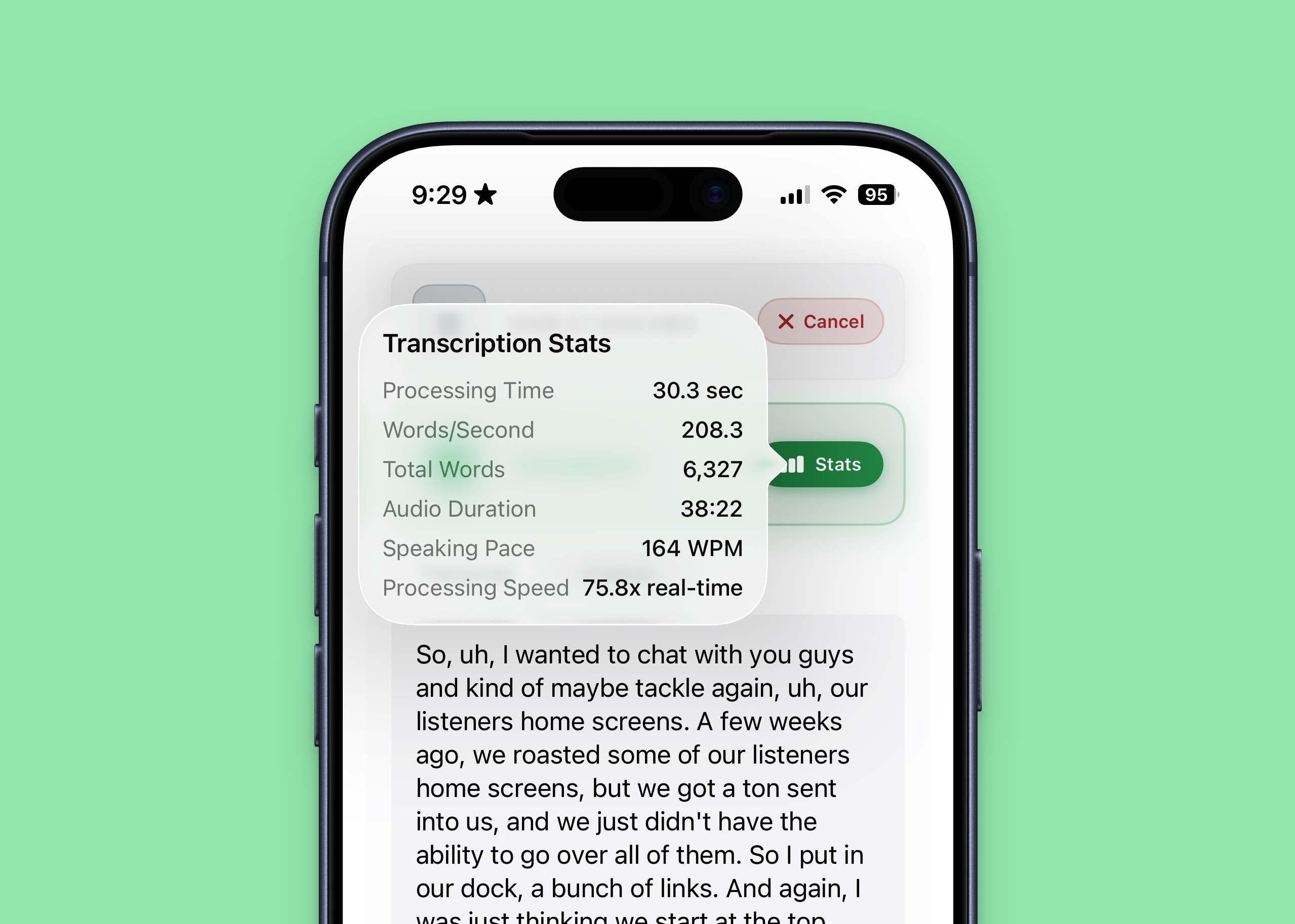
Transcription Stats

Processing Time
30.3 sec
Words/Second
208.3
Total Words
6,327
Audio Duration
38:22
Speaking Pace
164 WPM
Processing Speed
75.8x real-time
Press Stats to close it and open it again.

An hour-long podcast in less than a minute.

With Apple Intelligence built into the core experience, Quick Subtitles renders subtitles for an hour-long podcast in less than a minute on your iPhone. That's real-time transcription at 80x speed.
Your audio never touches the cloud.

Everything happens on-device. Your audio never gets uploaded to a server and is never shared with anyone: no servers, no cloud, no data collection. After the initial model download, you can transcribe anywhere with no internet at all.

Turn transcripts into show notes.

The analysis feature scans your subtitle files and extracts the good stuff: links you mentioned, products you talked about, and anything you said would be "linked in the description." Need something specific? Add custom commands to extract exactly what you're looking for from any transcript.

So, uh, I wanted to chat with you guys and kind of maybe tackle again, uh, our listeners home screens. A few weeks ago, we roasted some of our listeners home screens, but we got a ton sent into us, and we just didn't have the ability to go over all of them. So I put in our dock, a bunch of links.

Clean text, ready to copy.

Clean text or SRT subtitles.

Copy clean text or export SRT subtitles for any editor or platform.

Benchmark your device.

Curious how fast your iPhone, iPad, or Mac can transcribe? Benchmark mode tests your device's transcription performance with quick tests or extended runs, so you can see how much thermal throttling affects speed over time.

It keeps a history log of all your benchmark runs, with downloadable data so you can share results or analyze performance yourself.

5 runs complete

How it works

  1. 1. Drop your file

    Audio or video, Quick Subtitles handles it.

  2. 2. On-device transcription

    Watch real-time progress. Nothing leaves your device.

  3. 3. Export & share

    Copy text or export SRT. Optionally generate show notes with AI.

Quick Subtitles on iPhone showing transcription stats: 38 minutes of audio processed in 30.3 seconds

Try it free. Own it forever.

Get a few free transcriptions to try it out. Then unlock unlimited use with a single purchase.

Free Trial
$0
Try before you buy
  • A few free transcriptions
  • Full access to all features

Transcribe faster.
Keep it private.

Available for iPhone, iPad, and Mac.

Requires iOS 26, iPadOS 26, or macOS 26